When building serverless functions in Taubyte, you have two options for organizing your code: inline code within your project, or libraries—separate repositories that can be shared and reused across functions and projects.
Libraries in Taubyte enable you to:
- Keep serverless function code outside the main repository
- Share code across multiple functions
- Control access more precisely with separate repositories
- Build reusable components for your entire platform
Prerequisites
Before you begin, make sure you have:
A local Taubyte cloud running with Dream:
- Install Dream:
npm install -g @taubyte/dream - Start your local cloud:
dream new multiverse - Connect to it at console.taubyte.com by selecting the blackhole network
- Install Dream:
A Taubyte project created in the console (if you haven’t created one yet, see Creating Your First Taubyte Project)
Creating a Library
From the sidebar, navigate to Libraries and click the + button.
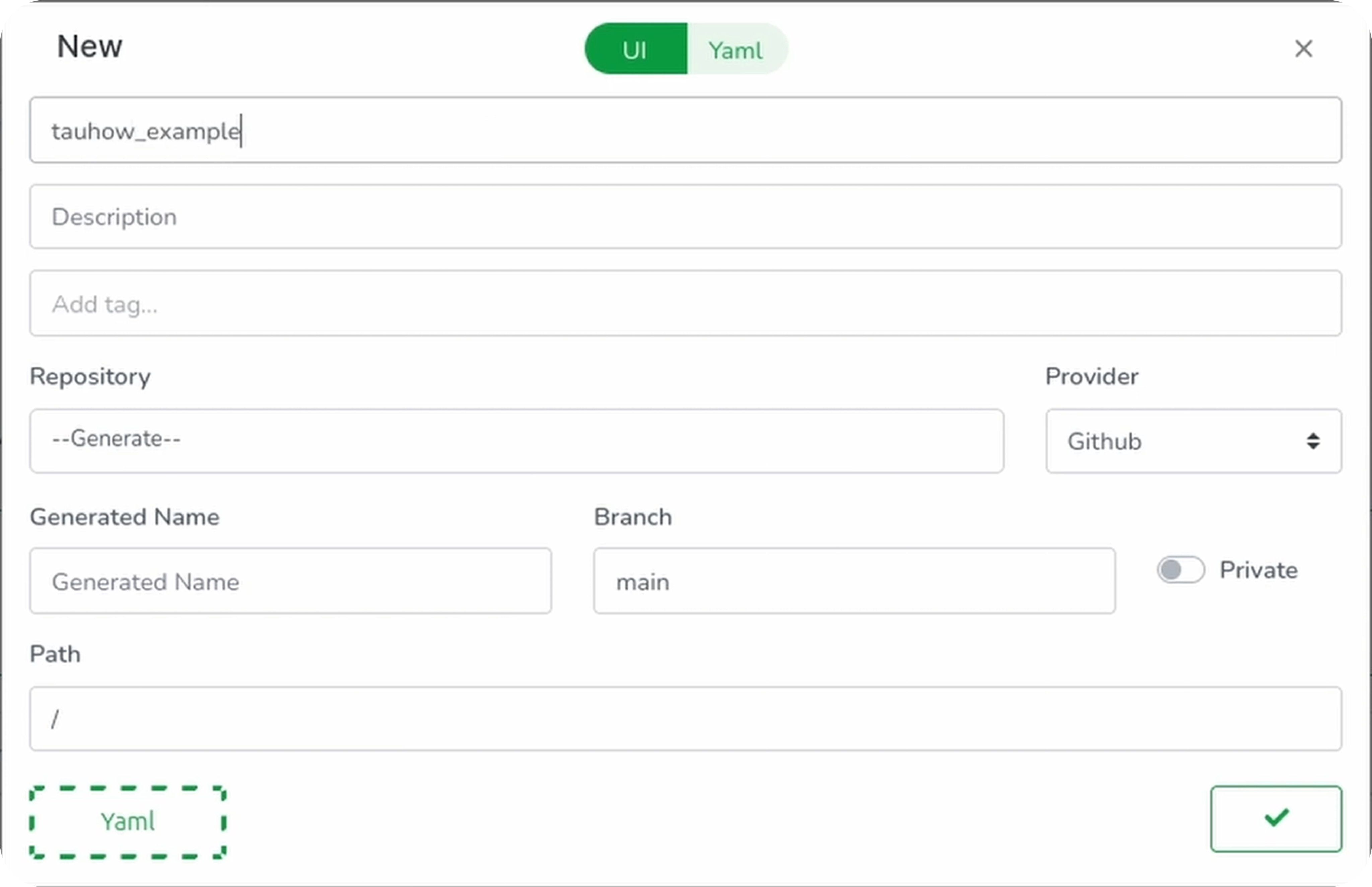
- Name your library (e.g.,
my-shared-lib) - Choose to either:
- Import an existing library using its repository URL
- Generate a new repository with starter code
- Click Generate to create a new library
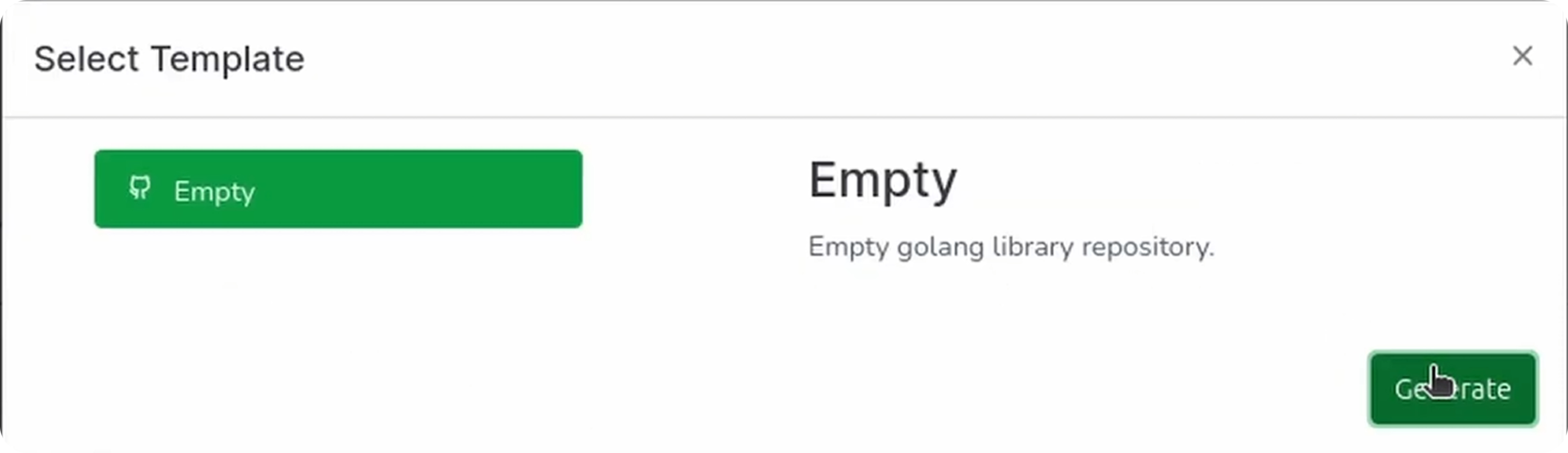
This creates a GitHub repository with template code.
Pushing Changes
Click the green button in the bottom right to push:
- Important: Copy and save the Library GitHub ID—you’ll need it for builds
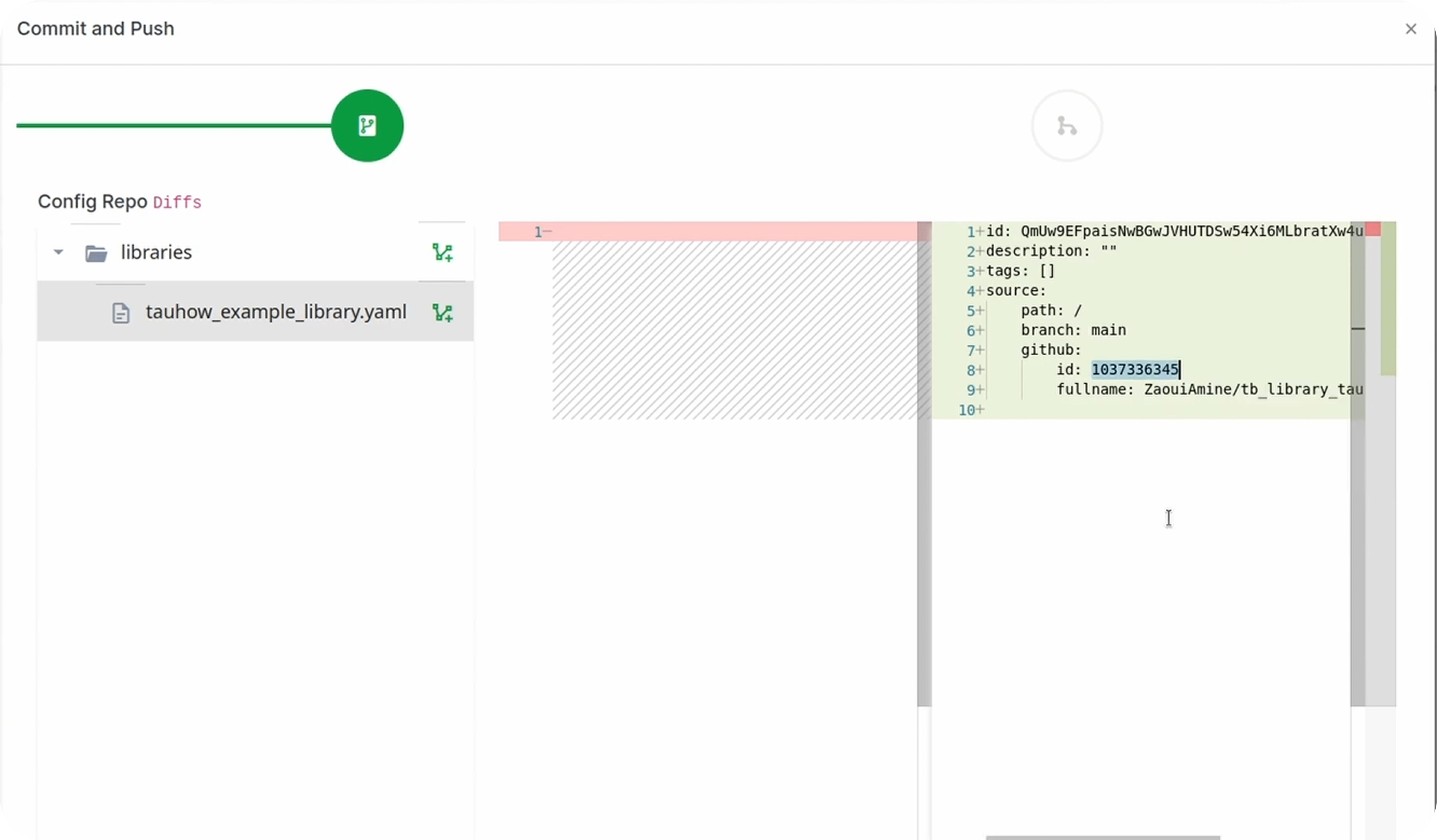
- Enter a commit message
- Click Finish
- Skip the build for now (the library isn’t in use yet)
Adding Code to Your Library
Click the open icon to view your library’s repository on GitHub.
Open the template file (e.g., empty.go) and replace its content:
package lib

import (
    "github.com/taubyte/go-sdk/event"
)

//export ping
func ping(e event.Event) uint32 {
    h, err := e.HTTP()
    if err != nil {
        return 1
    }

    h.Write([]byte("PONG"))
    return 0
Commit the changes directly on GitHub.
Using a Library as a Function Source
Now let’s create a function that uses this library as its code source.

Navigate to Functions and click +:
| Field | Value |
|---|---|
| Name | Your function name |
| Timeout | 1s |
| Memory | 10MB |
| Method | GET |
| Domain | GeneratedDomain |
| Path | /lib/ping |
| Source | Select your library (e.g., my-shared-lib) |
| Entry Point | ping |
Push the changes, ignore any inline code repo updates, commit and finish. Notice the source is now your library.
Building the Library
In your terminal, build both the library and configuration:
# Build the specific library using its ID and fullname
dream inject push-specific -u blackhole -rid <library-github-id> -fn <library-fullname>

# Build all configuration
dream inject push-all
Note: Use your own repository ID and fullname. If you didn’t save them, navigate to the library, click on it, then switch to YAML to find them. Another way is to open the config repository and find them in
libraries/<library-name>.yaml.
Testing
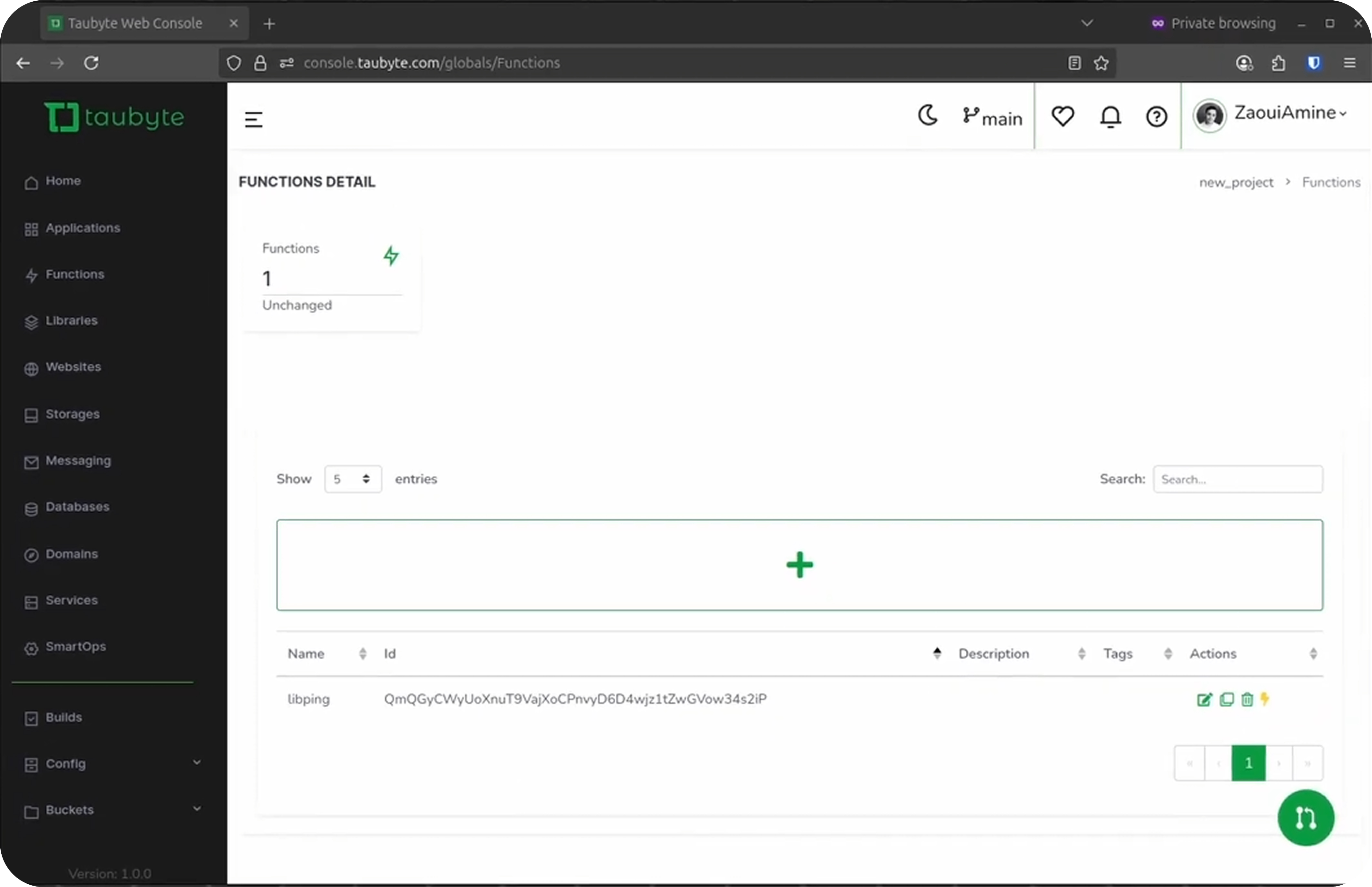
Once both builds finish, go back to the console, click the lightning icon next to your function. You should see the PONG message.
Using a Library as a Dependency
Libraries can also be imported as dependencies within other functions. This is powerful for creating reusable utility modules.
Step 1: Add a Utility Function to Your Library
In your library repository, click Add file > Create new file. Name the file add.go and add the following code:
package lib

//export add
func add(a, b uint32) uint64 {
    return uint64(a) + uint64(b)
}
Click Commit changes… to commit and push.
Step 2: Create a Function that Imports the Library
Navigate to Functions and click +. Click Template Select, select Go and empty, then close the template modal.
Configure the function:
| Field | Value |
|---|---|
| Name | add |
| Timeout | 1s |
| Memory | 10MB |
| Method | GET |
| Domain | GeneratedDomain |
| Path | /lib/add |
| Entry Point | doAdd |
Click on Code to switch to the code tab, then paste the following code:
package lib

import (
    "fmt"
    "strconv"

    "github.com/taubyte/go-sdk/event"
    http "github.com/taubyte/go-sdk/http/event"
)

// Import `add` the library
//
//go:wasmimport libraries/<library-name> add
func add(a, b uint32) uint64

func getQueryVarAsUint32(h http.Event, varName string) uint32 {
    varStr, err := h.Query().Get(varName)
    if err != nil {
        panic(err)
    }

    varUint, err := strconv.ParseUint(varStr, 10, 32)
    if err != nil {
        panic(err)
    }

    return uint32(varUint)
}

//export doAdd
func doAdd(e event.Event) uint32 {
    h, err := e.HTTP()
    if err != nil {
        return 1
    }

    // call the library function
    sum := add(getQueryVarAsUint32(h, "a"), getQueryVarAsUint32(h, "b"))

    // send the result over http
    h.Write([]byte(fmt.Sprintf("%d", sum)))

    return 0
}
Note:
libraries/<library-name>is resolved within the context of the application the function is part of, then globally. In this case the function is global so the library is only resolved globally.
Push the changes.
Step 3: Build and Test
Trigger a build for the configuration changes:
dream inject push-all
Test the function with curl:
curl 'http://your-domain.blackhole.localtau:14529/lib/add?a=40&b=2'
Output:
42
Library vs. Inline Code: When to Use Each
| Use Case | Recommendation |
|---|---|
| Quick prototypes | Inline code |
| Shared utilities | Library |
| Multiple functions same logic | Library |
| Strict access control | Library (separate repo) |
| Complex applications | Library |
| Simple HTTP handlers | Either works |
Conclusion
You’ve now learned how to:
- Create libraries for code organization
- Use libraries as function sources for cleaner architecture
- Import libraries as dependencies for code reuse
Libraries are a powerful way to keep your codebase organized as your project grows. They enable sharing logic across your entire platform while maintaining clear ownership and access control.
Next, learn how to host websites on your Taubyte cloud.