Testing modern cloud applications locally is a common challenge. Emulators and mocked environments often fail to replicate the true behavior of a distributed production cloud, leading to bugs that only appear after deployment.
What if you could run a real cloud on your own machine?
Introducing Taubyte Dream
Taubyte Dream lets you spin up a universe—a complete, self-contained Taubyte cloud running entirely on your local machine. This universe is an isolated peer-to-peer network of nodes, each running actual Taubyte services like gateway, substrate, and auth.
This design provides a development environment that closely mirrors working with a live remote cloud infrastructure.
Simulation vs. Emulation: Why It Matters
It’s crucial to understand that Dream provides a simulation, not an emulation.
| Aspect | Emulation | Dream Simulation |
|---|---|---|
| Behavior | Approximates production | Identical to production |
| Code | Different codebase | Same software components |
| Protocols | Simplified versions | Same protocols |
| Testing confidence | Medium | High |
An emulation merely approximates behavior, which can lead to inconsistencies. In contrast, Dream’s simulation runs the exact same software components that exist in a live deployment. The services communicate using the same protocols and follow the same logic.
The only difference is the scale, not the substance.
What you build and test in Dream will behave exactly as it would in a full-scale cloud.
True Dev/Prod Parity
The primary benefit of this approach is achieving true dev/prod parity. With Dream:
- Code and configuration tested locally can be deployed to production with zero changes
- No translation layers or environment-specific surprises
- Catch issues early in the development cycle
Getting Started
Installation
First, ensure you have Node.js installed on your machine. Then install Dream globally:
npm install -g @taubyte/dream
This makes the dream command available globally.
Creating Your Cloud
Initialize your local cloud with a single command:
dream new multiverse
You’ll see output confirming your cloud is running:
[INFO] Dreamland ready
[SUCCESS] Universe blackhole started!
That’s it. You’ve just initialized a personal cloud on your machine.
Viewing Your Cloud
To see all the running components of your universe:
dream status universe
This displays every service that makes up your cloud:
┌───────┬─────────────────────┬────────┬───────┐
│ Nodes │ elder@blackhole     │ p2p    │ 14051 │
│       ├─────────────────────┼────────┼───────┤
│       │ tns@blackhole       │ http   │ 14466 │
│       ├─────────────────────┼────────┼───────┤
│       │ substrate@blackhole │ http   │ 14529 │
│       ├─────────────────────┼────────┼───────┤
│       │ auth@blackhole      │ p2p    │ 14123 │
│       ...
└───────┴─────────────────────┴────────┴───────┘
Each service functions just as it would in production.
Visual Inspection with the Web Console
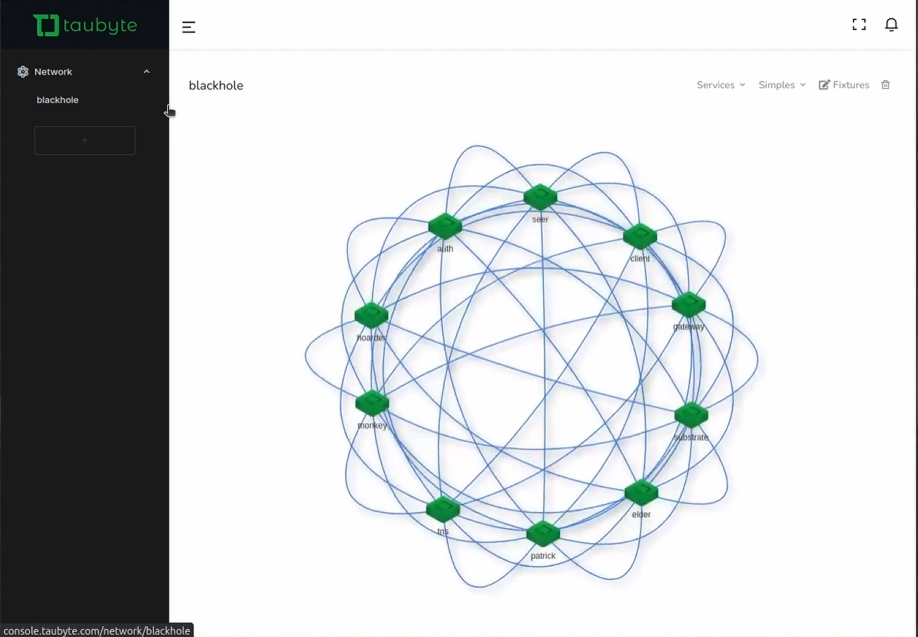
You can also inspect your local cloud visually:
- Open console.taubyte.com
- Click the Dreamland button (only visible when Dream is running)
- Navigate to Sidebar → Network → blackhole
You’ll see a visual network graph showing all your running nodes and their connections.
Working with Your Local Cloud
Connecting to the Console
To add real code and test Taubyte functionalities:
- Go to console.taubyte.com
- Enter your email
- Select the network as blackhole
- Click Login with GitHub
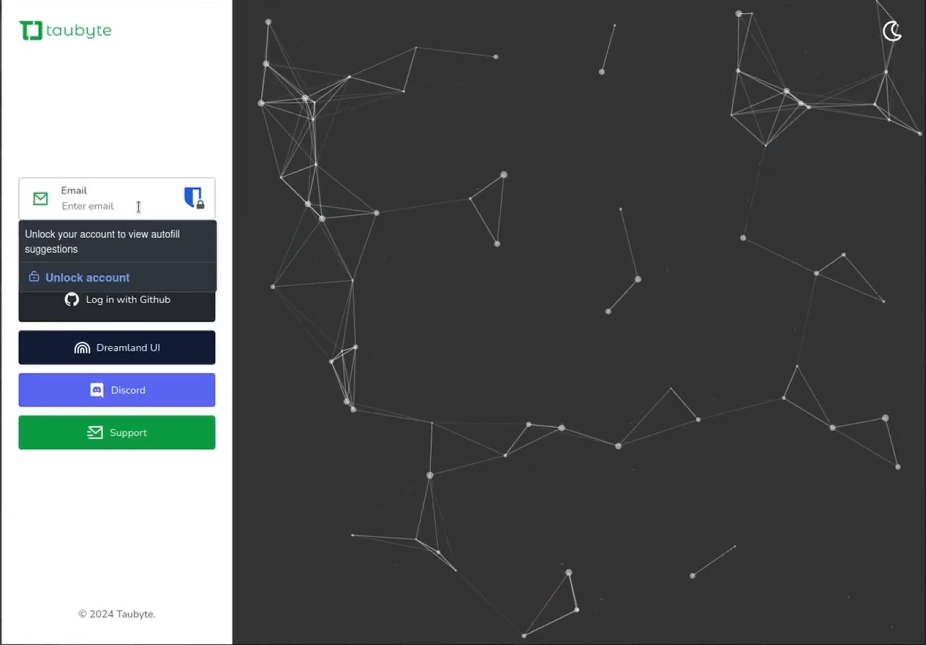
From here you can:
- Create projects
- Define functions
- Manage applications
- Test databases and storage
All while interacting with the cloud running on your machine.
Testing a Function
If you have a project imported or created:
- Navigate to Functions in the sidebar
- Find your function in the list
- Click the lightning icon to run it
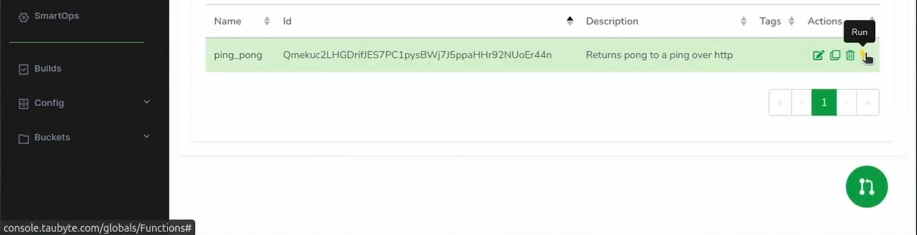
The function executes on your local cloud exactly as it would in production.
Example: Running a Ping Function
# First, find your substrate HTTP port
dream status substrate

# Then test your function
curl -H "Host: your-domain.blackhole.localtau" http://127.0.0.1:14529/ping
Response:
PONG
Key Dream Commands
| Command | Description |
|---|---|
dream new multiverse | Start a new local cloud |
dream status universe | Show all running nodes |
dream status substrate | Get substrate node details (for HTTP port) |
dream inject push-all | Trigger builds for all repositories |
dream inject push-specific <id> | Trigger build for specific repository |
The Architecture
When you run Dream, it starts a complete peer-to-peer network locally:
┌────────────────────────────────────────────┐
│           Local Dream Universe              │
│              (blackhole)                    │
├────────────────────────────────────────────┤
│  ┌──────────┐  ┌──────────┐  ┌──────────┐  │
│  │   auth   │  │   tns    │  │   seer   │  │
│  └────┬─────┘  └────┬─────┘  └────┬─────┘  │
│       │             │             │        │
│       └─────────────┼─────────────┘        │
│                     │                      │
│  ┌──────────┐  ┌────┴─────┐  ┌──────────┐  │
│  │ patrick  │  │ substrate│  │  hoarder │  │
│  └────┬─────┘  └────┬─────┘  └────┬─────┘  │
│       │             │             │        │
│       └─────────────┴─────────────┘        │
│                  P2P Network               │
└────────────────────────────────────────────┘
Each node runs the same code as production, just scaled down to your local machine.
Why Dream Changes Everything
Before Dream, local development for distributed cloud applications meant:
- Setting up mock services that behave differently than production
- Discovering bugs only after deployment
- Complex local environment configurations
- Environment-specific conditionals in code
With Dream:
- Test production behavior locally before deploying
- No environment-specific code needed
- Faster development cycles with immediate feedback
- Confidence in deployments because local = production
Conclusion
Taubyte Dream eliminates the gap between development and production environments. By running an actual simulation of a Taubyte cloud on your local machine, you can develop, test, and debug with complete confidence that your code will behave identically in production.
No more “works on my machine” scenarios. No more deployment surprises. Just pure dev/prod parity.
For more details on Dream and all its capabilities, visit the documentation at tau.how. Join our Discord community if you have questions or want to connect with other developers.
Next: Create your first project to start building on your local cloud.