Taubyte’s object storage lets you store and retrieve files directly from your serverless functions. Unlike traditional cloud storage providers where you must pre-provision buckets, Taubyte creates storage buckets on-the-fly when your code first uses them—making it perfect for dynamic, multi-user applications.
Creating Storage
From the sidebar, navigate to Storage and click the + button.
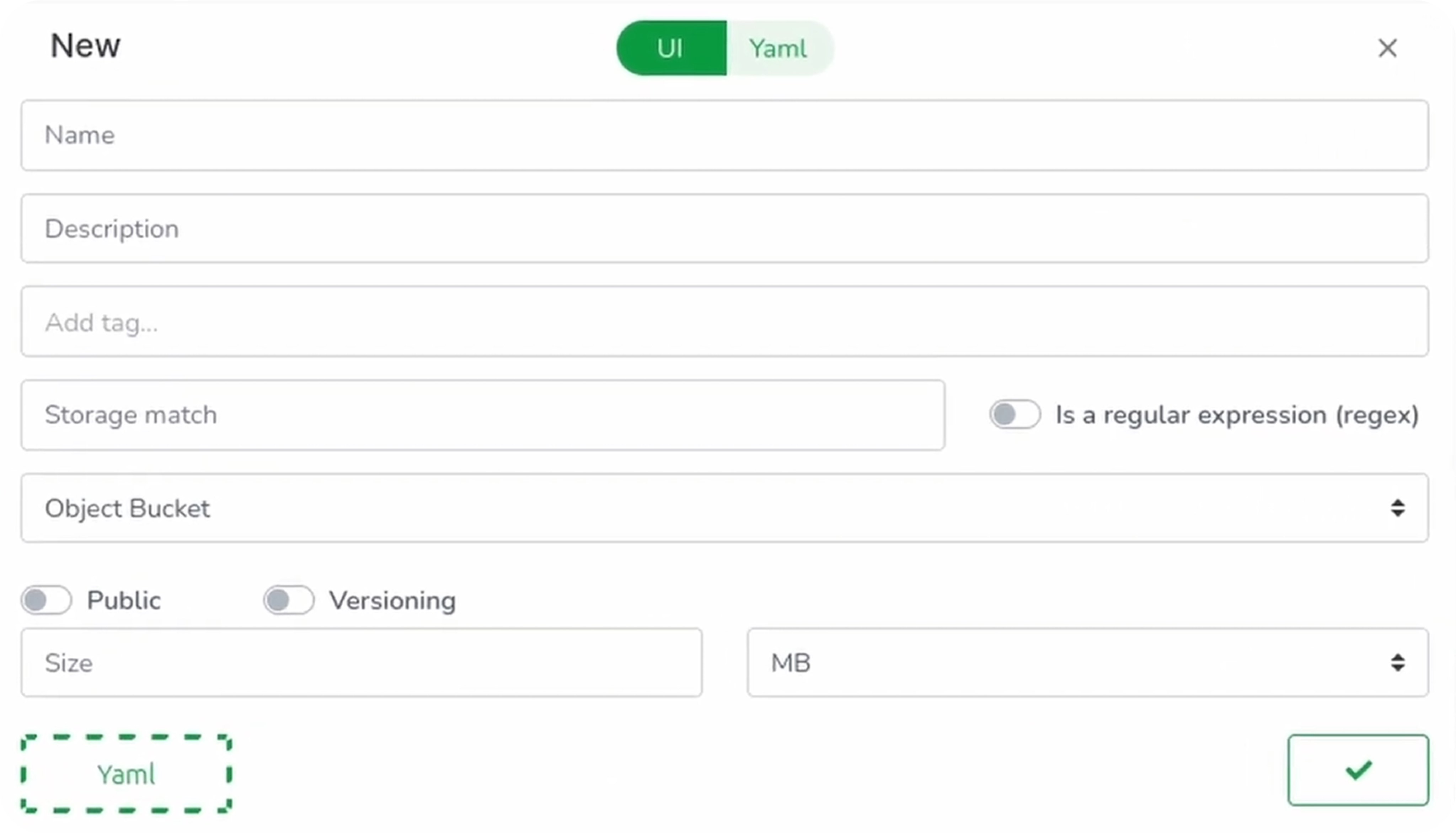
Configure your storage:
| Field | Description | Example |
|---|---|---|
| Name | Unique identifier | simple_storage |
| Matcher | Path pattern for the bucket | /simple/storage |
| Type | Storage type | Object Bucket |
| Size | Maximum capacity | 1GB |
Click Validate to save.
Understanding Matchers
The matcher can be any string—even a regular expression. Using a path-like format (e.g., /simple/storage) makes it easy to recognize and organize.
Regular expression example:
profile/storage/[a-zA-Z0-9]+
This means:
profile/storage/userA→ Creates a bucket for User Aprofile/storage/userB→ Creates a separate bucket for User B
This is incredibly powerful for multi-user applications—you can automatically generate per-user or per-session buckets just by varying the path.
Pushing Configuration
Click the push button, add a commit message, and push to save your storage configuration.
How Taubyte Storage Works
Unlike major cloud providers where you pre-provision storage, Taubyte storage is instantiated on-the-fly the first time you use it.
This means:
- The bucket doesn’t exist until your code interacts with it
- You can use dynamic matchers (regular expressions)
- Per-user buckets are created automatically
As of today, storage is only accessible from your code. To interact with it over HTTP, you need to create gateway functions.
Building Gateway Functions
Let’s create two functions:
- Upload function: Store files in a bucket
- Download function: Retrieve files from a bucket
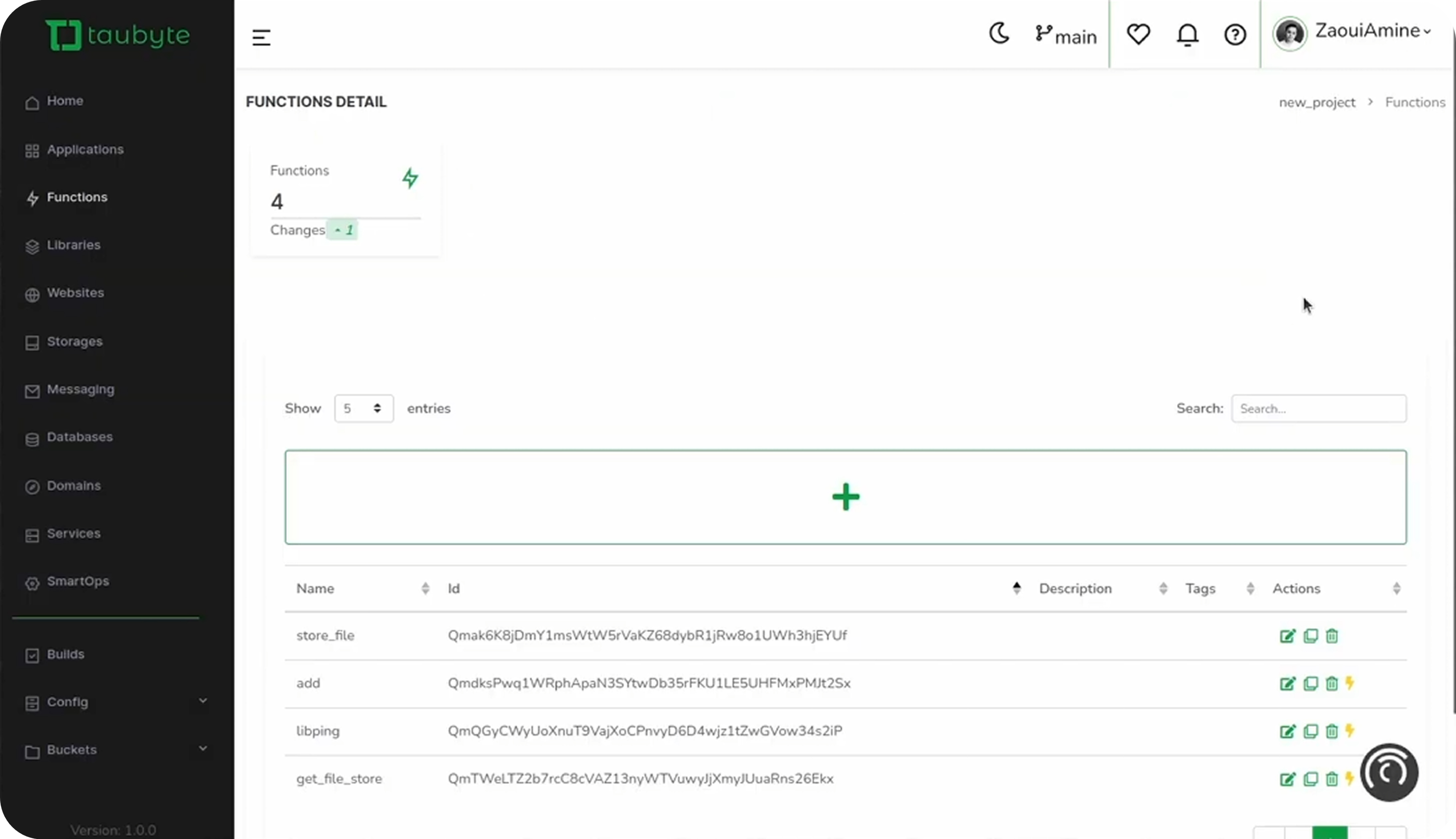
Upload Function
Navigate to Functions and click +:
| Field | Value |
|---|---|
| Name | store_file |
| Memory | 100MB |
| Method | POST |
| Path | /api/store |
| Entry Point | store |
Switch to the Code tab and paste:
package lib

import (
    "encoding/json"
    "github.com/taubyte/go-sdk/event"
    http "github.com/taubyte/go-sdk/http/event"
    "github.com/taubyte/go-sdk/storage"
)

func failed(h http.Event, err error, code int) uint32 {
    h.Write([]byte(err.Error()))
    h.Return(code)
    return 1
}

type Req struct {
    Filename string `json:"filename"`
    Data     string `json:"data"`
}

//export store
func store(e event.Event) uint32 {
    h, err := e.HTTP()
    if err != nil {
        return 1
    }

    // Open/Create the storage
    sto, err := storage.New("/simple/storage")
    if err != nil {
        return failed(h, err, 500)
    }

    // Read the request body
    reqDec := json.NewDecoder(h.Body())
    defer h.Body().Close()

    var req Req
    err = reqDec.Decode(&req)
    if err != nil {
        return failed(h, err, 500)
    }

    // Select file/object
    file := sto.File(req.Filename)

    // Write data to the file
    _, err = file.Add([]byte(req.Data), true)
    if err != nil {
        return failed(h, err, 500)
    }

    return 0
}
Download Function
Clone the store_file function and modify:
| Field | Value |
|---|---|
| Name | get_file |
| Method | GET |
| Path | /api/get |
| Entry Point | get |
Update the code:
package lib

import (
    "io"

    "github.com/taubyte/go-sdk/event"
    http "github.com/taubyte/go-sdk/http/event"
    "github.com/taubyte/go-sdk/storage"
)

func failed(h http.Event, err error, code int) uint32 {
    h.Write([]byte(err.Error()))
    h.Return(code)
    return 1
}

//export get
func get(e event.Event) uint32 {
    h, err := e.HTTP()
    if err != nil {
        return 1
    }

    // Read the filename from the query string
    filename, err := h.Query().Get("filename")
    if err != nil {
        return failed(h, err, 400)
    }

    // Open/Create the storage
    sto, err := storage.New("/simple/storage")
    if err != nil {
        return failed(h, err, 500)
    }

    // Select file/object
    file := sto.File(filename)

    // Get a io.ReadCloser
    reader, err := file.GetFile()
    if err != nil {
        return failed(h, err, 500)
    }
    defer reader.Close()

    // Read from file and write to response
    _, err = io.Copy(h, reader)
    if err != nil {
        return failed(h, err, 500)
    }

    return 0
}
Building and Testing
Trigger the build:
dream inject push-all
Test Upload
curl -I -X POST http://your-domain.blackhole.localtau:14529/api/store \
-H "Content-Type: application/json" \
-d '{
  "filename": "example.txt",
  "data": "This is the content of the file."
}'
Unless the curl fails, we now have an object example.txt that contains This is the content of the file. in our storage.
Test Download
curl http://your-domain.blackhole.localtau:14529/api/get?filename=example.txt
The output should be:
This is the content of the file.
Storage Patterns
| Use Case | Matcher Pattern |
|---|---|
| Single shared bucket | app/files |
| Per-user buckets | users/storage/.* |
| Per-session storage | sessions/[0-9a-f]{8} |
| Per-project files | projects/.+/assets |
Conclusion
You’ve learned how to:
- Create storage with matchers
- Build upload/download functions as HTTP gateways
- Use dynamic matchers for per-user storage
Taubyte’s on-the-fly bucket creation eliminates the need to pre-provision storage, making it perfect for applications with dynamic, multi-tenant requirements.
Next, explore Databases for structured data storage.