Taubyte includes built-in pub/sub messaging that enables real-time communication in your applications. With WebSocket support, you can build chat systems, live notifications, collaborative tools, and more—all directly from your serverless functions.
Creating a Messaging Channel
From the sidebar, navigate to Messaging and click the + button.
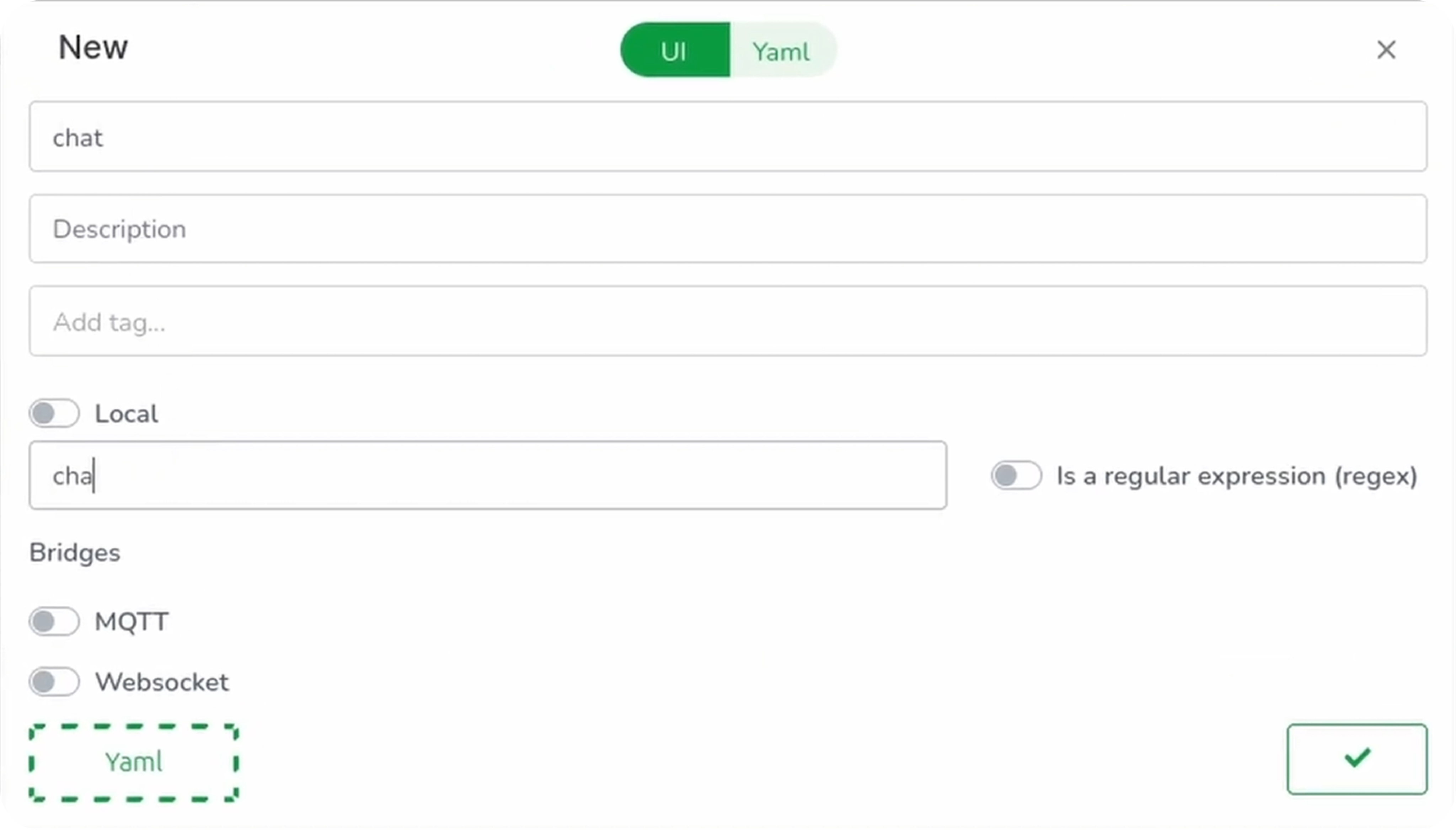
Configure your channel:
| Field | Description | Example |
|---|---|---|
| Name | Channel identifier | chat_channel |
| Topic Matcher | Topic pattern | chat/rooms |
| WebSocket | Enable WebSocket support | ✅ Toggle on |
Click Validate to save.
Pushing Changes
Click the green push button, review your changes, add a commit message, and push to the repository.
Build and deploy:
dream inject push-all
Connecting Pub/Sub to Functions
Now let’s create a function that provides WebSocket URLs for clients to connect.
Create the WebSocket URL Function
Navigate to Functions and click +:
- Click Template Select
- Choose Go and get WebSocket URL
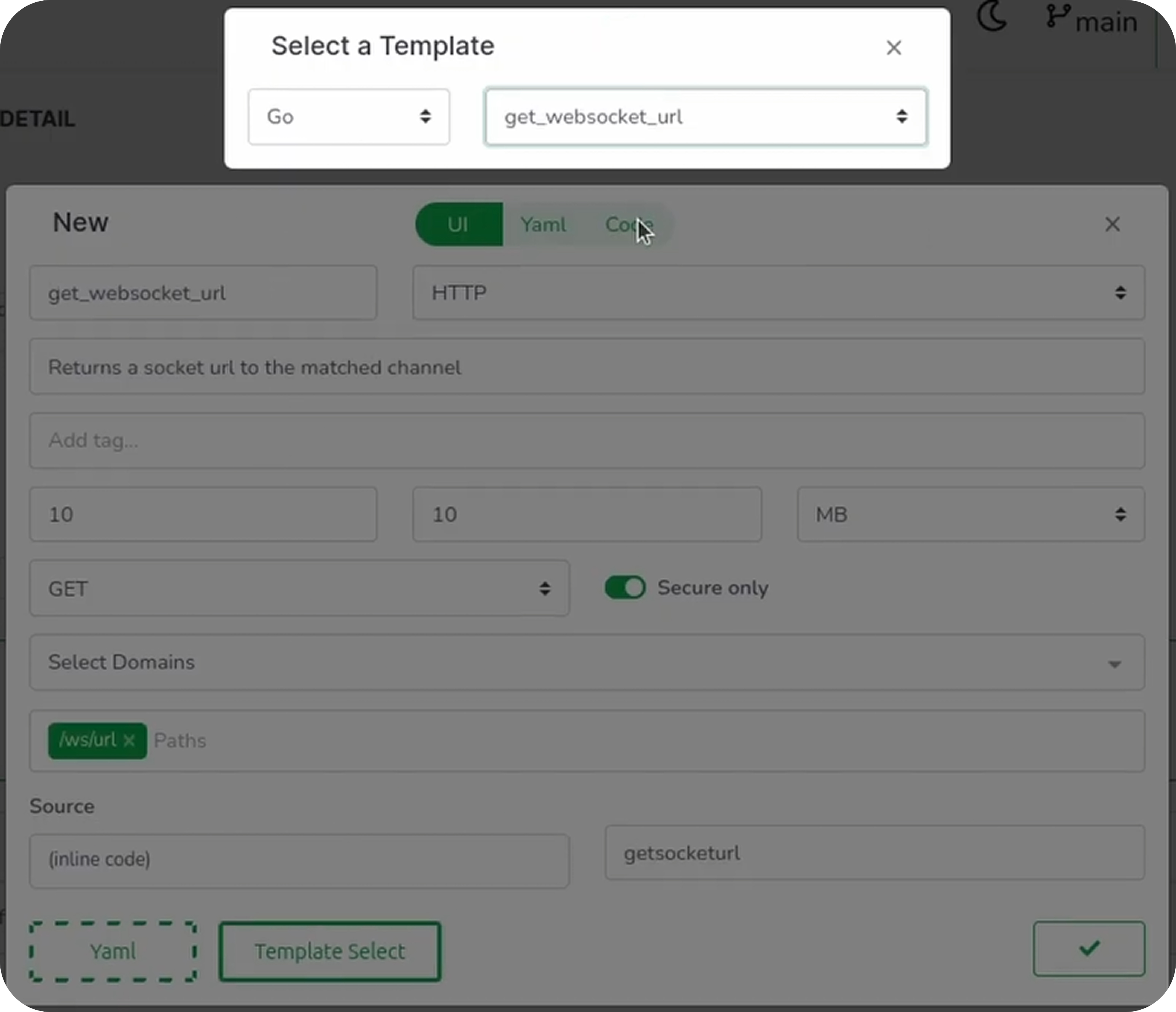
- Set the domain to your generated domain
- Set the path to
/api/ws
Switch to the Code tab and replace with:
package lib

import (
    "crypto/sha256"
    "encoding/hex"

    "github.com/taubyte/go-sdk/event"
    "github.com/taubyte/go-sdk/pubsub"
)

//export getWebSocketURL
func getWebSocketURL(e event.Event) uint32 {
    h, err := e.HTTP()
    if err != nil {
        return 1
    }

    // Get room name from query parameters
    query := h.Query()
    room := query.Get("room")

    if room == "" {
        h.Write([]byte(`{"error": "room parameter required"}`))
        return 1
    }

    // Hash the room name to create a unique channel
    hash := sha256.Sum256([]byte(room))
    channelName := hex.EncodeToString(hash[:])

    // Open or create the pub/sub channel
    channel, err := pubsub.Open("chat/rooms/" + channelName)
    if err != nil {
        h.Write([]byte(`{"error": "failed to open channel"}`))
        return 1
    }
    defer channel.Close()

    // Get WebSocket URL for this channel
    wsURL, err := channel.WebSocketURL()
    if err != nil {
        h.Write([]byte(`{"error": "failed to get websocket url"}`))
        return 1
    }

    h.Write([]byte(wsURL))
    return 0
}
This function:
- Reads the
roomquery parameter - Hashes it to create a unique channel name
- Opens (or creates) the pub/sub channel
- Returns a WebSocket URL for clients to connect
Validate and push, then trigger a build:
dream inject push-all
Testing with wscat
Install wscat
First, install the WebSocket testing tool:
npm install -g wscat
Get a WebSocket URL
Request a WebSocket URL for a room:
curl "http://your-domain.blackhole.localtau:14529/api/ws?room=tau"
Response (example):
/ws/channel/a8f5f167f44f4964e6c998dee827110c...
Connect Two Clients
Open two terminal windows to simulate a chat:
Terminal 1:
wscat -c "ws://your-domain.blackhole.localtau:14529/ws/channel/a8f5f167f44f4964e6c998dee827110c..."
Terminal 2:
wscat -c "ws://your-domain.blackhole.localtau:14529/ws/channel/a8f5f167f44f4964e6c998dee827110c..."
Now type in one terminal—it appears instantly in the other!
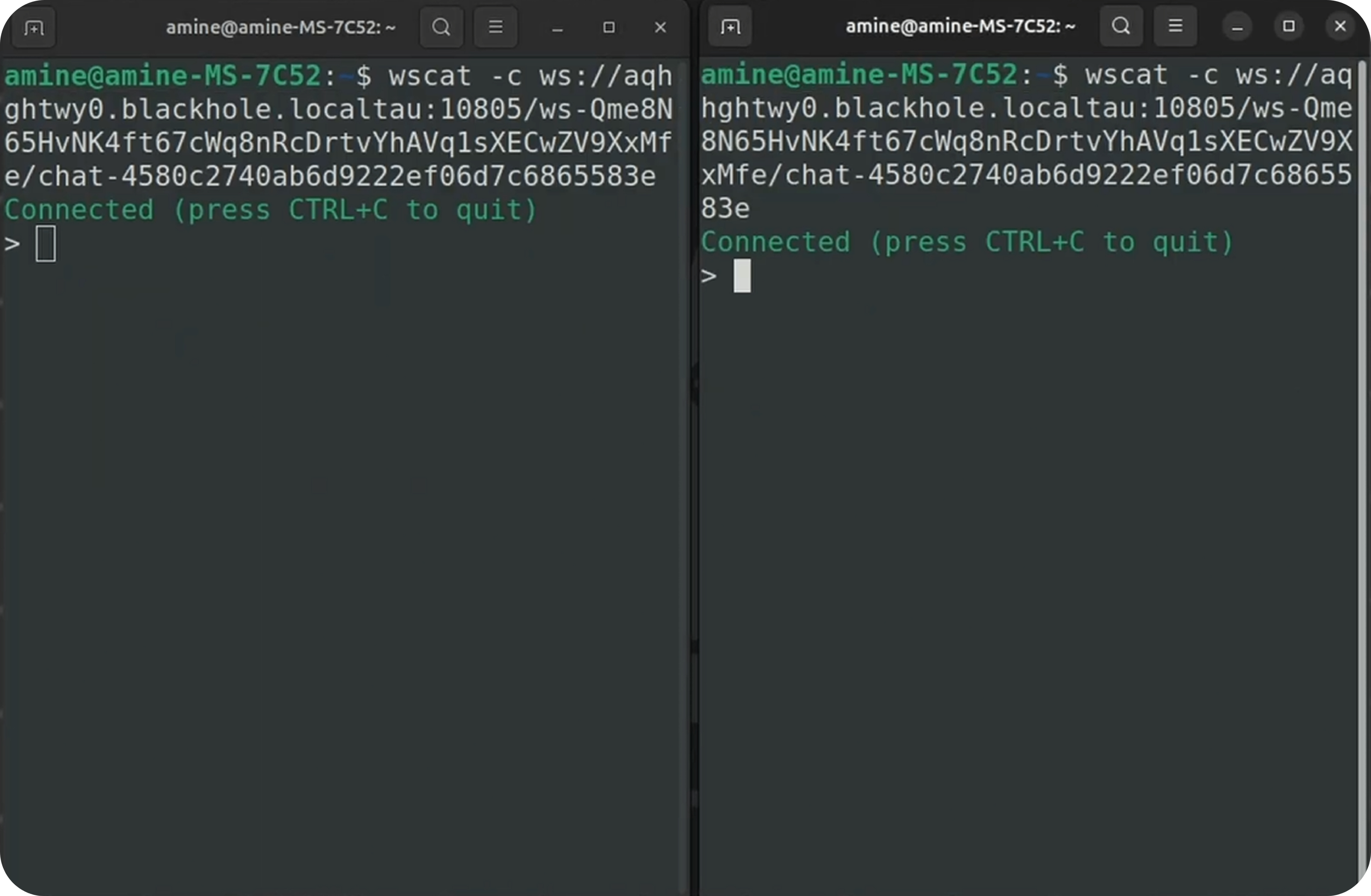
Your pub/sub WebSocket is alive.
Use Cases
| Use Case | Implementation |
|---|---|
| Chat rooms | Per-room channels with WebSocket |
| Live notifications | Global channel, functions publish |
| Real-time dashboards | Data channels, subscribe from frontend |
| Collaborative editing | Document-specific channels |
| Game state sync | Game room channels |
Conclusion
You’ve learned how to:
- Create messaging channels with WebSocket support
- Build functions that return WebSocket URLs
- Test with wscat for real-time communication
- Build browser clients for chat applications
Pub/sub is the foundation for real-time features in your applications—from chat to live notifications to collaborative tools.
Next, learn about Applications for organizing resources into logical units.