When working with projects, the best practice is to create a new branch for each feature or bug fix. This way, you can work in isolation without touching the main branch until your work is ready to merge.
Both Tau and Dream support running on branches.
Default Behavior
By default:
- Tau (production) runs on
mainandmasterbranches - Dream (local) also defaults to these branches
But you can configure either to run on any branch.
Starting Dream on a Branch
To start Dream on a specific branch, use the -b flag:
dream new multiverse -b dev
This starts a Dream universe that listens for changes on the dev branch instead of main.
Connecting to Your Branch Universe
Once Dream is running on your branch, connect through the web console:
- Open console.taubyte.com
- Connect to your Dream universe (should be named
blackhole) - Either create a new project or import an existing one
The Branch Creation Flow
Here’s a common scenario: you start Dream on a development branch that doesn’t exist yet on the remote repository.
Initial Attempt
Trigger a build:
dream inject push-all
You might see an error in Dream logs:
Check out 'dev' failed with reference not found
This happens because the dev branch doesn’t exist on the remote repository yet.
Creating the Branch
To fix this, create the branch in the console:
- In the top right corner, click the current branch name (shows
main) - Click the + button
- Type
devas the new branch name - Click Validate
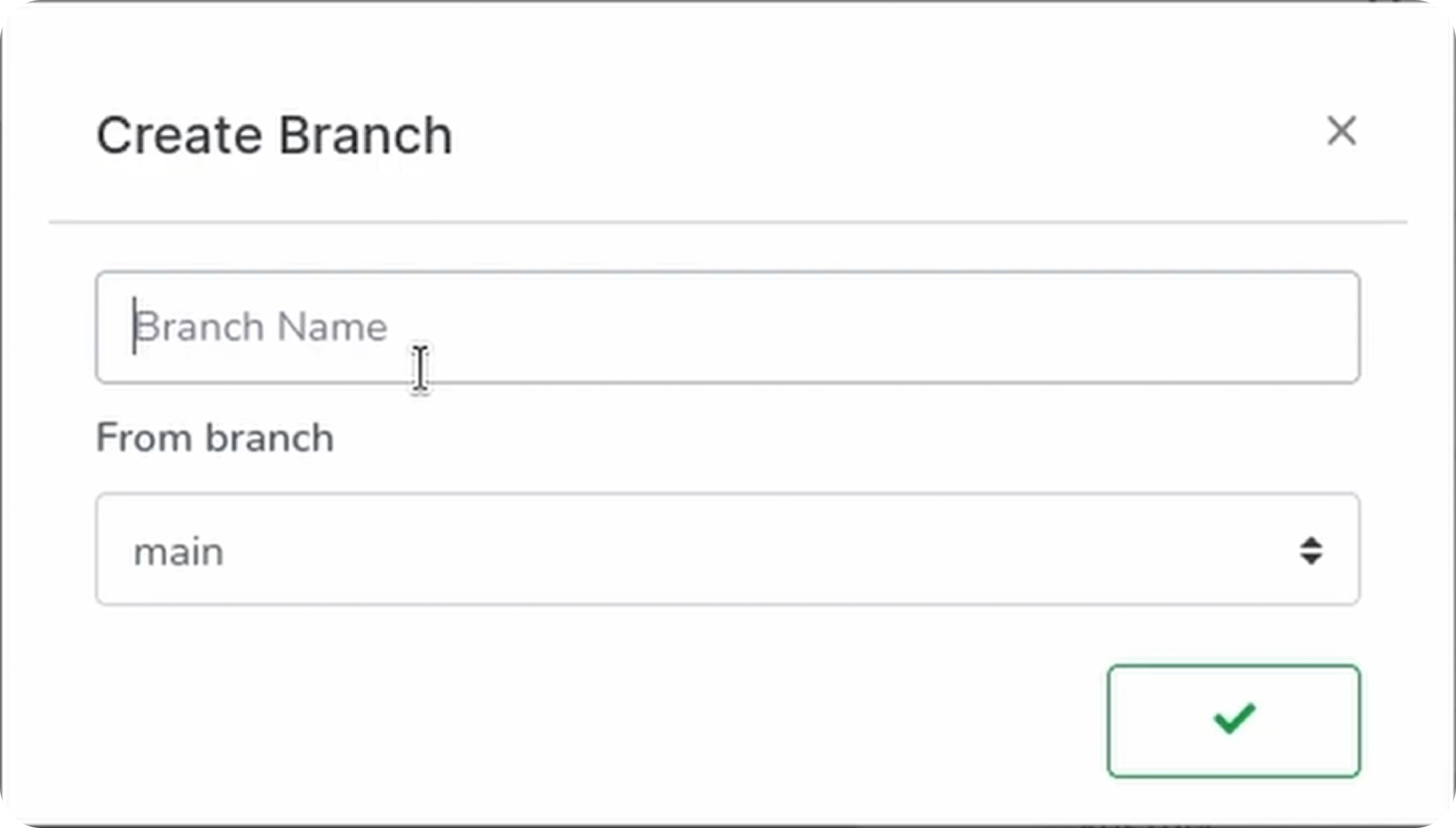
The console will refresh and show the branch name changed to dev.
Building Successfully
Now trigger the build again:
dream inject push-all
This time it should succeed. If you imported a project with existing functions, they’ll be built on this branch.
Commands Reference
| Command | Description |
|---|---|
dream new multiverse | Start Dream on default branch (main) |
dream new multiverse -b dev | Start Dream on dev branch |
dream inject push-all | Trigger builds for all repos |
Troubleshooting
| Issue | Cause | Solution |
|---|---|---|
| “Reference not found” | Branch doesn’t exist on remote | Create branch in console |
| Wrong branch building | Dream started on different branch | Restart Dream with correct -b flag |
| Changes not appearing | Built on wrong branch | Verify console shows correct branch |
Best Practices
- Never develop directly on main: Always use feature branches
- Name branches descriptively:
feature/user-auth,fix/login-bug - Test locally first: Use Dream to validate before merging
- Keep branches short-lived: Merge frequently to avoid conflicts
- Delete merged branches: Keep your repository clean
Conclusion
You’ve learned how to:
- Start Dream on specific branches with the
-bflag - Create branches from the console
- Build and test on feature branches
- Merge to production when ready
Branching enables safe, isolated development that follows industry best practices. You can experiment freely knowing your main branch stays stable until you’re ready to merge.
Next, learn how to ship to production when your project is ready.